 Church Base Cloud
Worship planning & song library
Build Sunday's running order with songs, people and timings. Keep lyrics, chords and keys in one song library, then use them in each service plan.
Open the demo church ↗Product interface: English · German · French · Kreol Morisien

Bring it into church life
Three practical steps for your team and congregation.
Plan the service together
Create a service plan and arrange its items on the plan board. Assign serving roles so your team can respond to requests through the member app.
Keep songs ready
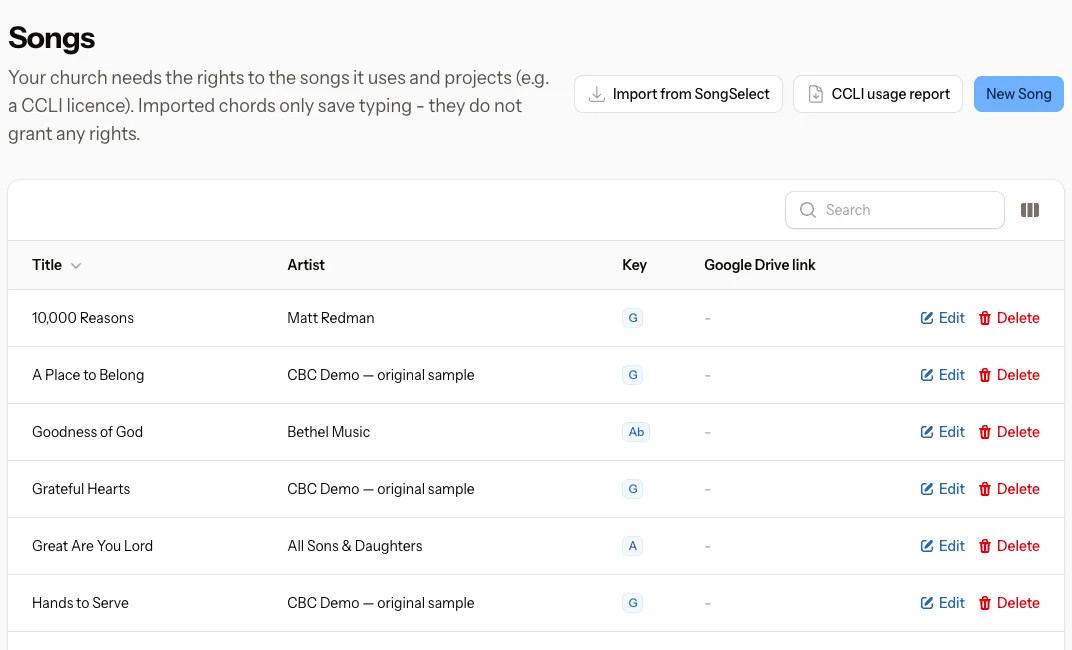
Maintain song lyrics, ChordPro chords, artist, key, capo and CCLI number. Import your SongSelect ChordPro files instead of typing an entire songbook again.
Prepare chords and projection
Choose the key for a service, transpose chords and prepare chord sheets or projector output from the plan. Your running order remains the shared source.
Not just an idea. Your working tools.
The people who prepare Sunday and the people who arrive for it share the same platform — with a different view for each role.
Every feature, in every plan
All plans include the church office and member app, with unlimited leaders and administrators. Choose the modules your church needs; access follows your roles and permissions. Provider accounts and usage fees remain separate. The browser-based member app is included. The shared Church Base Cloud native app with church selection will also be included in every plan, at no extra cost, from its next released version. A separate app with your church’s own name and branding is optional: USD 29/month or USD 290/year prepaid, in addition to your CBC plan. Suitable church-owned developer accounts, a responsible contact and store approval are required; developer account fees are separate. Publication and billing are agreed before ordering.
Pricing ↗Open the demo church
The shared demo uses fictional data. Outgoing messages and real payments are disabled; changes reset overnight.
Open the demo church ↗Home ↗